
SainSmart LCD Keypad Library
It appears in large numbers on eBay and Amazon: the SainSmart 1602 LCD Keypad Shield.
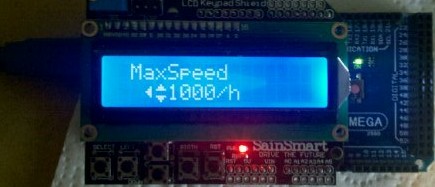
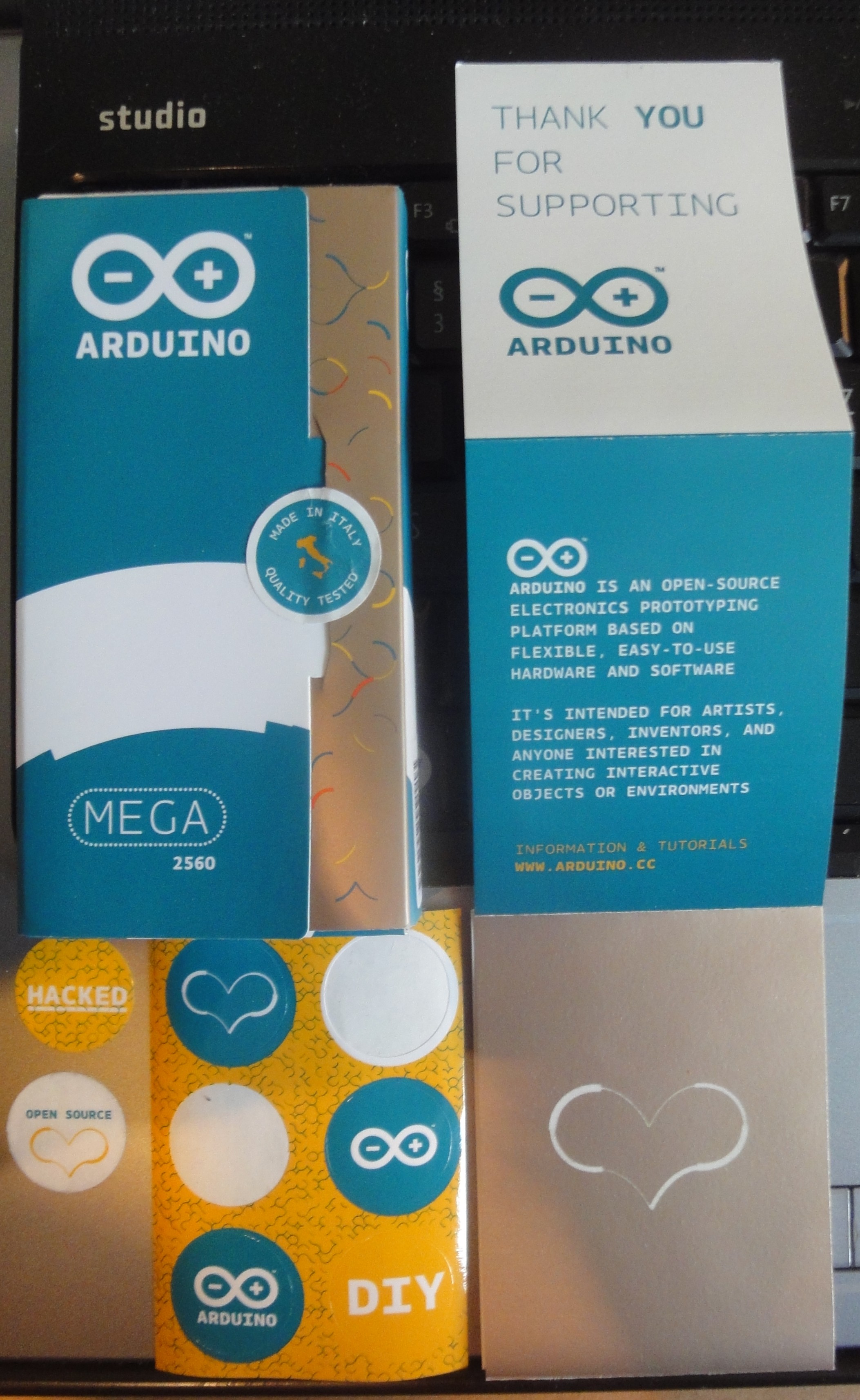
It is usually offered as a package with a SainSmart Mega or Uno. These Mega and Uno boards correspond quite closely to the Arduino boards and can also be programmed with the Arduino IDE (programming software), which is exactly what Arduino's open-source policy intends. The SainSmart products are cheaper, but when you buy a genuine Arduino you support the work behind it, and you get a “Thank-you-for-supporting” booklet, attractive packaging, and 6 stickers.
But what this is really about: on its website, SainSmart provides a library for controlling the keypad on the LCD Keypad Shield. Unfortunately, this library is really, really bad, if not actually incorrectly programmed, which is why I would normally like to do a little bashing here. Instead, here is the solution: at https://github.com/Phaiax/sainsmartkeypad you can find a library (for Arduino 1.0) that hopefully does things much better. Please fork it!
An example is always useful (I will upload it to GitHub shortly as well). Simply create two new files in the Arduino sketch (the arrow on the far right of the file bar), naming them sainsmartkeypad.h and sainsmartkeypad.cpp, and copy the code from the corresponding files on GitHub into them. Look at the header file's source code to learn about the extended configuration options. The main file could then look something like this:
#include <LiquidCrystal.h>

#include "Arduino.h"

// github.com/Phaiax/sainsmartkeypad
#include "sainsmartkeypad.h"

LiquidCrystal lcd(8, 9, 4, 5, 6, 7);
SainsmartKeypad keypad(0);
int value = 0;
uint8_t key;

void setup() {
  lcd.begin(16, 2);
  lcd.setCursor(0,0);
  lcd.print("Keypad Example");
}

void loop() {
  key = keypad.getKey_fastscroll();

  // Try the other possibilities:
  // (Only one at a time.
  //  fastscroll, waitrelease and periodic
  //  won't work next to each other.)

  //key = keypad.getKey_waitrelease(); // without fastscroll but usable
  //key = keypad.getKey_periodic(); // not quite usable
  //key = keypad.getKey_instant(); // not quite usable

  if(key != SAMPLE_WAIT) // Do not refresh screen every loop
  {
     switch(key)
     {
       case UP_KEY:
        value++;
        break;
       case DOWN_KEY:
        value--;
        break;
     }
     lcd.setCursor(5,1);
     lcd.print(value);
     lcd.print("        ");
  }
}
∎
Comments
Great library for getting started with the SainSmart LCD Keypad Shield. Many thanks! :)
Without this library, as a beginner I certainly would not have managed to do anything with the keypad. Many thanks for the groundwork!!
Thanks for the library! We use it in our project.
http://www.halecker.de/kameraslider/2013/02/12/lcd-keypad-shield/
Thanks for the library! At first, not all buttons worked reliably for me. The problem appeared on both of my Unos (Arduino and SainSmart) in the same way.
I generally increased the permitted range for the analog values from 15 to 50.
//static int DEFAULT_THRESHOLD = 15;
static int DEFAULT_THRESHOLD = 50;
It now works even at 35°C room temperature.
Thanks again!
Thanks for the cool tip. Works perfectly!
Great stuff, thank you very much.
A small suggestion for improvement:
I often have to enter integer values, but it takes forever for 32000 to appear on the display.
Could the whole thing perhaps be extended so that the duration for which the button is held is measured, and the increment increases by 1, 10, 100, or 500 the longer it is held?
For example:
short press: decrement/increment the counter by one.
longer press: visibly count upwards!
still longer press: count upwards faster
and so on...
Somehow make it get faster every 5 seconds.
Best regards,
branther
Thanks to Lesejens' tip, everything works perfectly!
This was my first attempt with Arduino, and I thought that all the buttons except UP and RIGHT were defective, or that the resistor was faulty.
I then also increased DEFAULT_THRESHOLD to 50, and now it works reliably at 23.8°C.
Thanks for the library! Since the modules are arriving here by the dozen, I will take my time reading through everything in the meantime.
I'm already despairing over setting up the display shield. No matter which sketches I upload, only squares appear in the first line, and nothing in the second...
It works...
I didn't dare push the shield on firmly enough ;)
I spent a long time looking for the problem that caused several LCD/keypad shields I tested to start displaying nonsense or switch to white rectangles whenever any button was pressed.
Some displays showed nothing at all, or displayed rectangles from startup.
If anyone else is desperately looking for the error in the code, here is one possible solution:
I discovered that on UNO and Mega boards with a USB Type-B socket, the edge of the socket's metal housing can short-circuit the protruding LCD pins on the underside of the board. On some boards this happens permanently; on others, there is a minimal gap, so the short circuit only occurs when a button is pressed.
Covering the area with insulating tape (preferably several layers) and filing down the sharp pins solves the problem.
I use it (I normally never comment at all (: )
I use it too! Thank you very much!